
 By
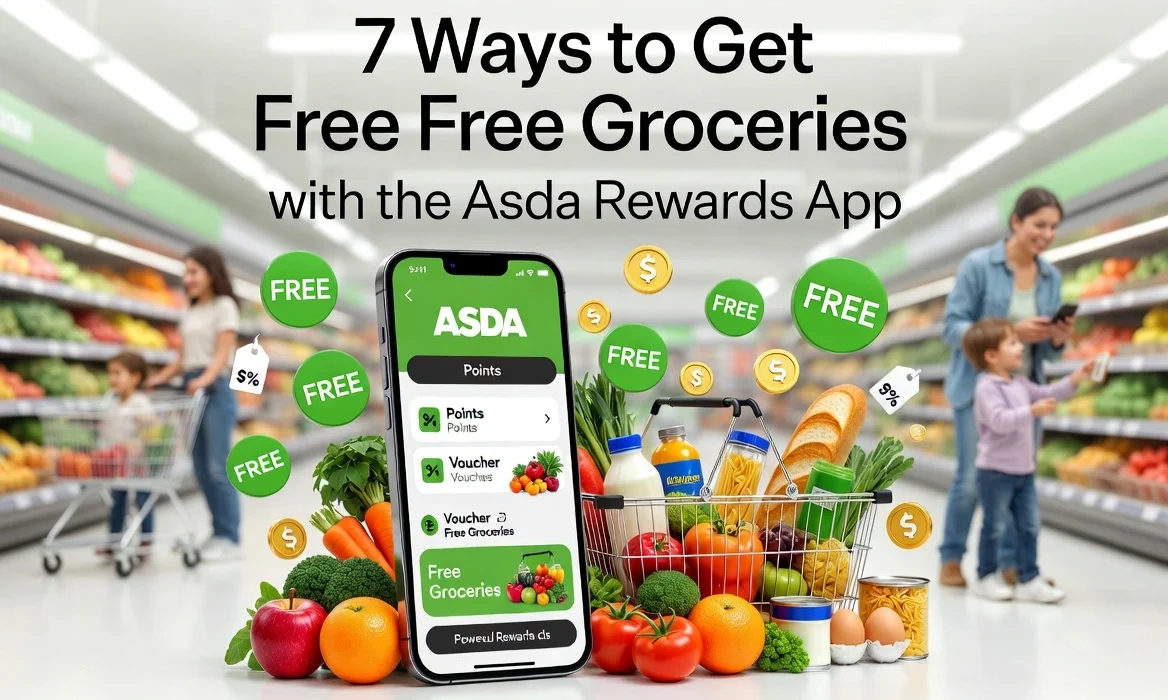
By You download it (iOS and Android, takes ninety seconds), sign up, and then every time you shop you could be filling up a little pot of cash. No points, no vouchers that expire in a fortnight – just cold, hard “Cashpot” that turns into money off your shop. Intrigued? You should be.
Download the Asda Rewards App (it’s the first step to free groceries).
How Does Asda Cashpot Work?
Think of the Cashpot like a little digital piggy bank that lives inside the app. You earn money back on selected products, and Asda calls those Star Products or Missions. The money lands in your Cashpot, and once you’ve got at least £1 in there, you can redeem it against a future shop.
Here’s a real example: last week I bought three different Star Products – pasta sauce, granola, and kitchen roll – and each one added 50p to my Cashpot. That’s £1.50 back on stuff I was already buying. No coupons, no clipping. And when you hit £1, you simply tap “convert to voucher” at the till or in the app. Minimum threshold is just £1. Maximum? There isn’t one.
See Today’s Cashpot Offers – they change every Tuesday, so check before you shop.
How to Earn Free Grocery Rewards
Okay, let’s get into the good stuff. Over the past year I’ve redeemed over £80 of free shopping (honestly, it bought Christmas treats last December). Here are the seven smartest ways to max out your free groceries Asda style.
- Complete Asda Missions – These are themed challenges like “Buy 4 baking products” or “Spend £12 on fresh fruit”. Finish the mission, get a fixed Cashpot reward (often £1–£3).
- Scan Star Products religiously – Every week, about 30–50 items get a yellow “Star” tag in the app. Scan them in-store before you pay, and each gives you between 10p and £1 back. Easy wins.
- Bonus Cashpot events & seasonal promos – Think back-to-school, Halloween, or “summer BBQ boost” where any spend over a certain threshold tops up your Cashpot by an extra £2.
- Refer friends (and grab bonus ££) – Refer a Friend & Earn Bonus Cashpot – every time a mate signs up and shops, you can earn a fiver. I’ve done this three times – pure free money.
- Birthday and milestone bonuses – Keep an eye out around your birthday month (the app sometimes surprises you) or after your 10th shop. I got an extra £1.50 just for being a “loyal shopper”.
- Combine with the Asda cashback credit card – Yes, you can double-dip. Use the Asda Money credit card (which offers up to 2% cashback at Asda) alongside the Rewards app. The Cashpot stays separate, but both stack. Win-win.
- Use the app at George clothing & Asda petrol stations – A hidden gem: buying clothes for the kids or filling up your tank? Scan the Rewards barcode at the George till or petrol kiosk. You’ll earn Cashpot on selected Star Products there too, including meal deals on the go.
Mix and match these tactics each week, and you’ll be surprised how quickly that asda cashpot grows.
Best Asda Missions to Complete
Missions are different from everyday Star Products. They’re usually time-limited (a week or a weekend) and ask you to buy a specific mix of things. The payout is often a flat cash reward added to your Cashpot, not a percentage back.
Examples of real Missions I’ve seen:
- Try 3 new plant-based products – reward: £2 Cashpot
- Spend £20 on baby & toddler – reward: £2.50
- Buy any 5 World Foods items – reward: £1.50
- Weekly shop bonus: spend £40+ in one transaction – reward: £3
My tip? Always check Missions before you leave the house. If you’re planning a big family shop, aim for the “spend £X” mission – it’s free cash for doing your normal shop. And the “try new products” missions? Perfect if you’re feeling adventurous and the new items are on offer anyway.
Check Active Missions in the App – they refresh every Wednesday.
Common Problems and Fixes
The asda rewards app is decent, but let’s be real – no tech is perfect. Here’s what I’ve run into and how to sort it fast.
Problem: My Cashpot didn’t update after buying Star Products.
Fix: Wait up to 24 hours – sometimes it’s slow. Still missing? Go into “Transaction History” and tap “Missing Cashpot?”. Also, make sure you scanned the app barcode before paying, not after.
Problem: App won’t scan at the self-checkout.
Fix: Increase screen brightness to max – the scanners hate dim screens. Or type your membership number manually (it’s under “My barcode”).
Problem: Tried to redeem voucher at till but it didn’t apply.
Fix: Your Cashpot voucher lives in the “Rewards” tab. You have to tap “Convert to voucher” before you scan it. Then scan that new barcode. If all else fails, customer service can manually apply it.
Problem: Missing points from a George purchase.
Fix: George clothing works fine, but only on Star Products inside George (like school uniforms or certain accessories). Keep your receipt and use the in-app help form to claim.
Is Asda Rewards Better Than Tesco Clubcard?
Ah, the million-pound question. I’ve used both – religiously. Here’s my honest take after two years of split loyalty.
Asda Rewards (Cashpot): You earn actual cash. No “Clubcard Prices” trickery – just pennies and pounds that turn into a voucher you can use on anything, including petrol and George. It’s simpler. You don’t need to convert to “Boost” partners. But the variety of products earning cashback is narrower than Tesco’s personalised offers.
Tesco Clubcard: Points come slower (1 point per £1) but you can triple their value with Reward Partners like PizzaExpress or Cineworld. If you use those partners often, Clubcard is better value. For everyday groceries? Clubcard Prices are good, but it’s not cash – it’s locked into a discount at Tesco only.
Verdict? For pure cashback simplicity and getting actual free groceries Asda without jumping through hoops, Asda Rewards wins. If you’re into eating out or days out, Clubcard still has the edge. But me? I’ve switched my main shop to Asda because the Cashpot adds up faster than I expected.
Follow UKTechWire for more interesting app reviews!
FAQs
Is the Asda Rewards app free?
Yes – 100% free to download and use. There’s no subscription, no hidden fee. You just earn Cashpot on qualifying purchases. The only thing it costs is a few seconds to scan at the till.
How do I redeem my Cashpot at the till?
When you have at least £1 in your Cashpot, open the app → go to “Rewards” → tap “Convert to voucher”. A barcode appears. Scan that barcode at the checkout before you pay. The amount automatically deducts from your total. Easy as that.
Can I use Asda Rewards online?
Currently, the Asda Rewards app is designed for in-store shopping only. You can’t earn Cashpot on Asda grocery home delivery or click & collect (though Asda says they’re working on it). But you can earn at George.com if you pick up in-store and scan your app at collection.
Does the Cashpot expire?
Yes, a little. Once you convert Cashpot into a voucher, that voucher expires after 30 days. But the Cashpot itself (the un-converted balance) doesn’t expire as long as you make at least one qualifying purchase every 6 months. So don’t hoard it – redeem and enjoy!
Can I have two Asda Rewards accounts?
Technically the terms say one per person. But households can have separate accounts linked to different phones and Asda cards. I know a few couples who each have their own and share a trolley – they double up on referral bonuses too! Just don’t try to use two accounts for the same transaction.

Jalees Ur Rehman is an SEO professional with 13+ years of experience in SEO and Digital Marketing. He helps businesses grow organic traffic and conversions through data-driven digital marketing strategies and practical execution.
1 Comment