 By
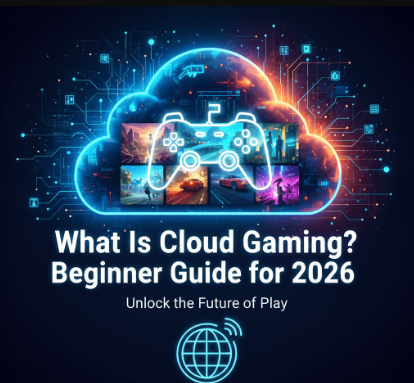
By If you’ve ever wanted to play high-end games without buying expensive hardware, cloud gaming is your answer. This cloud gaming beginner guide breaks down everything from basics to setup, helping newcomers understand this revolutionary technology in 2026. With services streaming AAA titles to phones, laptops, or TVs, cloud gaming makes gaming accessible anywhere.
Whether you’re upgrading from mobile games or curious about cloud gaming vs console gaming, this guide covers cloud gaming explained simply and practically.
Cloud Gaming Explained: What It Really Means
Cloud gaming streams games from powerful remote servers to your device, just like Netflix streams movies. Instead of downloading 100GB titles or needing a £1,000 PC, your browser or app handles video input while servers do the heavy computing.
You control the game via keyboard, controller, or touch, with visuals rendered in real-time over the internet. No local storage or GPU strain, which is perfect for cloud gaming for beginners with basic devices.
I remember the first time I tried cloud gaming properly. I was sitting in a hotel room with nothing but a beaten-up laptop that could barely run PowerPoint, let alone a modern game. Within five minutes of signing up for a free trial, I was playing a racing game at 60 frames per second. That feeling still sticks with me, the realisation that my hardware didn’t matter anymore. That’s what cloud gaming actually delivers: freedom from the upgrade cycle.
How Cloud Gaming Works: The Simple Breakdown
Here’s how cloud gaming works step-by-step:
- You select a game from the platform’s library.
- Servers process graphics and physics using high-end GPUs (like RTX 4090s).
- Video stream encodes your inputs and game visuals (up to 4K/120fps).
- The Internet delivers the stream to your device with minimal latency.
- Your device decodes and displays it smoothly.
Advanced compression and edge servers (closer to users) minimize lag. In 2026, AI upscaling and adaptive bitrate ensure crisp 1080p+ on modest connections.
One thing that often confuses newcomers is the difference between cloud gaming and remote play features on consoles. They sound similar, but they’re not the same. Remote play still requires you to own a console and have it powered on at home. Cloud gaming runs entirely on the provider’s servers, you don’t own any of the hardware doing the work. That means you could be on a train with patchy Wi-Fi, and as long as the connection holds, you’re playing a game that’s running in a data centre hundreds of miles away. It sounds like magic, but it’s just clever engineering.
Best Cloud Gaming Platforms in 2026
Choosing from the best cloud gaming platforms depends on your library and budget:
1. Xbox Cloud Gaming (Game Pass Ultimate)
- 400+ titles, including Forza, Starfield.
- Works on browsers, phones, TVs.
- Pricing: £14.99/month.
2. NVIDIA GeForce NOW
- Links your Steam/Epic library.
- Free tier + Performance (£9.99) / Ultimate (£19.99 for 4K).
- Excellent for PC gamers.
3. Boosteroid
- 1000+ games from Steam/Epic.
- 4K/120fps support, no session limits.
- £7.49-£9.89/month—budget-friendly.
4. Amazon Luna
- Controller-friendly with Luna+ (£9.99).
- Prime members get free channels.
- Seamless Fire TV integration.
These platforms expanded data centers in 2026, improving global access.
A quick word of advice if you’re just starting out: don’t immediately sign up for the most expensive tier. Try the free or cheaper options first. GeForce NOW’s free tier gives you one-hour sessions, which is plenty to test whether your home network can handle streaming games. Xbox Cloud Gaming is included with Game Pass Ultimate, so if you already subscribe for console or PC games, you’ve got access without spending another penny. The worst thing you can do is commit to a £20 monthly plan before you’ve even checked your ping.
Cloud Gaming Pros and Cons: Honest Review
Pros:
- No hardware costs—play AAA games on old laptops.
- Instant access—no downloads or updates.
- Multi-device—phone to TV seamlessly.
- Library sharing—use owned games across platforms.
Cons:
- Internet dependency—needs a stable cloud gaming internet speed.
- Subscription fees add up.
- Input lag in fast-paced shooters.
- The library limits on some services.
Let me be real with you about the lag situation, because a lot of guides sugarcoat it. For single-player games like Cyberpunk, The Witcher, or even RPGs like Baldur’s Gate 3, cloud gaming feels nearly identical to playing locally on decent internet. You won’t notice the delay. But if you’re trying to climb ranked ladders in Call of Duty or Apex Legends, you will feel it. It’s not massive, we’re talking milliseconds but in competitive shooters, milliseconds decide fights. Cloud gaming is fantastic for 90% of gaming. The remaining 10% is high-stakes multiplayer where every frame matters.
Cloud Gaming Internet Speed: What You Need
Cloud gaming internet speed requirements vary by quality:
| Platform | Minimum | 1080p Recommended | 4K Recommended |
| GeForce NOW | 15 Mbps | 25 Mbps | 45 Mbps |
| Xbox Cloud | 10 Mbps | 20 Mbps | 40 Mbps |
| Boosteroid | 20 Mbps | 35 Mbps | 40 Mbps |
Key tips: Prioritize low latency (<50ms), use Ethernet/Wi-Fi 6E, and close background apps. 25Mbps+ with <20ms ping delivers a console-like experience.
Here’s something most guides won’t tell you: your upload speed almost doesn’t matter. People obsess over upload because they think sending controller inputs requires a fat pipe, but those inputs are tiny — we’re talking kilobytes. What actually matters is download speed (for the video stream) and, even more importantly, latency. You can have 500Mbps fibre, but if your ping to the cloud gaming server is 80ms, the experience will feel sluggish. Run a ping test to the nearest data centre for your chosen platform before you commit.
Cloud Gaming vs Console Gaming: Which Wins?
Cloud gaming vs console gaming:
- Cloud: Cheaper entry (£15/month vs £500 console), portable, huge libraries. Weakness: Internet reliance.
- Console: Offline play, lower latency, ownership. Drawback: upfront cost, bulky hardware.
The honest answer? You don’t have to choose. More and more people are using both. Keep your PlayStation or Xbox for the big exclusives and the games you want to own physically. Use cloud gaming for everything else trying games you’re unsure about, playing on your lunch break at work, or accessing your library when you’re away from home. They complement each other better than they compete.
Cloud Gaming for Beginners: Quick Start Guide
Ready to try cloud gaming for beginners?
- Test the internet—use speedtest.net.
- Pick a platform—start with GeForce NOW free tier.
- Get a controller—Xbox/PlayStation works universally.
- Download app/browser—sign up and link libraries.
- Optimize setup—Ethernet, close tabs, game mode on TV.
Most offer free trials; you can dive in today.
One last bit of practical advice before you start: don’t use Bluetooth headphones for cloud gaming. I know that sounds random, but hear me out. Bluetooth adds its own latency — typically 40-100ms — on top of whatever network delay you already have. That turns a slightly noticeable lag into a genuinely annoying one. Wired headphones or a 2.4GHz wireless headset will serve you much better. It’s a small tweak, but it makes a real difference.
Frequently Asked Questions (FAQs)
What is cloud gaming in simple terms?
Cloud gaming streams games from servers to your device, eliminating hardware needs—like YouTube for interactive games.
What cloud gaming internet speed do I need?
25Mbps+ download with low latency for smooth 1080p; Ethernet beats Wi-Fi.
What are the best cloud gaming platforms for 2026?
Xbox Cloud Gaming, GeForce NOW, and Boosteroid lead with vast libraries and quality.
Cloud gaming pros and cons for newbies?
Pros: affordable, accessible. Cons: needs fast internet, possible lag.
Can cloud gaming replace my console?
It complements consoles well, especially for portability and library access.
Conclusion
This cloud gaming beginner guide shows how 2026’s technology makes gaming inclusive—no more hardware barriers. From how cloud gaming works to picking the best cloud gaming platforms, you’re equipped to start.
With improving speeds and libraries, cloud gaming bridges the gap between cloud gaming vs console gaming. Test a free tier and level up your playstyle!
Follow UKTechWire for more cloud gaming explained updates and tech insights!

Jalees Ur Rehman is an SEO professional with 13+ years of experience in SEO and Digital Marketing. He helps businesses grow organic traffic and conversions through data-driven digital marketing strategies and practical execution.
1 Comment