 By
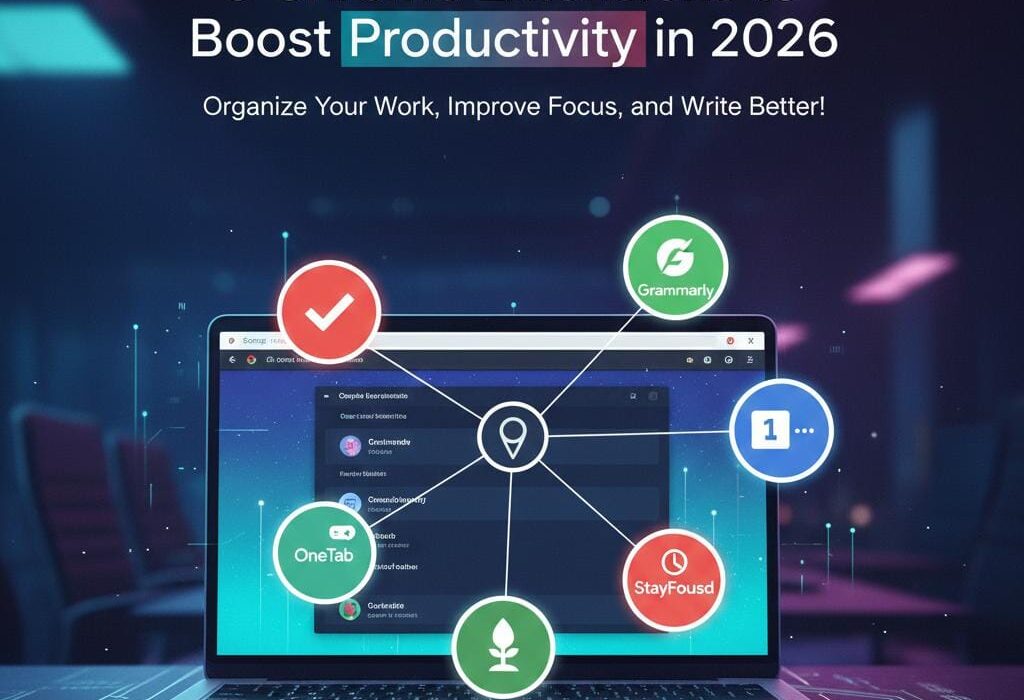
By In today’s fast-paced digital world, staying productive is crucial, whether you’re a student, professional, or freelancer. Fortunately, web browsers like Google Chrome offer an array of tools created to enhance focus, manage tasks, and streamline workflows, that ultimately boost productivity by streamlining all your tasks. If you’re searching for the best productivity Chrome extensions in 2026, you’re in the right place.
This article highlights five top-rated Chrome tools for work productivity to help you maximize your time and achieve more with less effort. You have just got to type chrowewebstore in your Chrome URL and that’s it. Copy and paste the names of each and every tools mentioned below in the webstore and start adding these productivity tools in your extensions’ arsenal!
1. Todoist

Todoist is a powerful task management extension that seamlessly integrates with your browser. It keeps your to-do lists organized, sets deadlines, and sends reminders to ensure you never miss a task.
- Perfect for project management and daily planning.
- Integrates with Google Calendar and email.
- Supports collaboration for teams.
If you want to stay on top of your agenda, Todoist is one of the best Chrome extensions for students and professionals alike.
2. Grammarly

When writing emails, reports, or essays, Grammarly is indispensable. This AI-based extension checks grammar, punctuation, and clarity in real time, improving your writing quality effortlessly.
- Offers style suggestions tailored to your tone.
- Supports multiple platforms, including email and social media.
- Gets regularly updated to spot and fix the latest language trends.
Being one of the essential free Chrome productivity tools, Grammarly helps enhance communication, saving time on proofreading.
3. Forest

Forest is a unique extension that combats distractions by encouraging focused work sessions. You plant a virtual tree that grows as you stay off distracting sites. Abandoning focus causes the tree to wither.
- Promotes the Pomodoro technique with timed sessions.
- Visual incentive boosts motivation and concentration.
- Syncs activity across devices for habit tracking.
Forest is highly recommended among study productivity extensions for students struggling to maintain focus.
4. OneTab

Managing multiple open tabs can kill productivity and slow your computer. OneTab condenses all open tabs into a single list, freeing system memory and decluttering your workspace. It gives your browser an organized look, rather than a cluttered network of open tabs.
- Easily save, restore, and organize tab groups.
- Reduces browser load, speeding up performance.
- Prevents tab overwhelm during research or multitasking.
As one of the most practical workflow Chrome tools, OneTab is perfect for anyone working with many tabs daily.
5. StayFocusd

StayFocusd limits the amount of time you spend on distracting websites, boosting discipline during work hours.
- Customize allowed time limits per site.
- Block entire sites or specific pages.
- Includes a “Nuclear Option” to block distractions for a set duration.
This tool is ideal if you want to optimize time spent online and maintain laser focus, ranking it among the best browser extensions 2026 for productivity.
How These Extensions Improve Productivity
Using these extensions helps:
- Organize tasks and deadlines clearly.
- Improve communication with error-free writing.
- Keep focus by reducing digital distractions.
- Manage browser tabs efficiently.
- Regulate social media and entertainment time.
Building a workflow using a mix of these Chrome productivity extensions can lead to better work-life balance and enhanced output.
Frequently Asked Questions (FAQs)
What are the top productivity Chrome extensions for students?
Todoist, Grammarly, and Forest are excellent for task management, writing assistance, and maintaining focus, respectively.
Are there reliable free Chrome productivity tools available?
Yes, many extensions, including Grammarly’s free tier and Forest’s Chrome version, offer powerful free features.
How do workflow Chrome tools help professionals?
They automate and streamline routine tasks like managing tabs, task lists, and blocking distractions, increasing efficiency.
Can I use multiple extensions without slowing down my browser?
While Chrome can handle several extensions, it’s best to install only the necessary tools and monitor browser performance.
How often should I update Chrome extensions for productivity?
Keep extensions updated regularly to benefit from the latest features, security patches, and performance improvements.
Conclusion
Optimizing your workflow in 2026 is easier with the right productivity Chrome extensions. Whether you want to stay organized, improve your writing, or beat distractions, these five extensions offer comprehensive solutions.
Explore these tools on the Chrome Web Store, customize them to your needs, and transform your productivity today.
For more tech tips and insights, stay connected with UKTechWire!

Jalees Ur Rehman is an SEO professional with 13+ years of experience in SEO and Digital Marketing. He helps businesses grow organic traffic and conversions through data-driven digital marketing strategies and practical execution.